Categories
Tech

Ganpati darshan, at the click of a button

Two Mumbaikars have launched a website that lets users develop free Ganpati pages, and look at prominent Ganpatis across Mumbai, Maharashtra.
by The Editors | editor@themetrognome.in

For years, Mumbaikars have loved Ganpati and the feeling of goodwill that the elephant God ushers in with his arrival. Moving from mandal to mandal to see Ganesh idols and the accompanying decorations is a favourite activity among Mumbai’s citizens.

But what if you had the chance of a darshan of not just the local idols but the Ganesh murtis in Mumbai and Maharashtra in just one sitting (literally)?

New city-based start-up Web Sizzlers has developed a first of its kind, innovative website www.liveganesh.com, that gives users the chance to have a ‘live darshan’ of the top most Ganpati mandals in the city, look up private murtis inside people’s homes, see the murti in their favourite celebrity’s home, and create their own mini website that gives all the information about their own Ganesh idol at a specially-created, free URL.

pratikKhushal Thakkar


Developed by founders Pratik Sejpal and Khushal Thakkar (left to right, in pic above), the site is live and ready for people to register on it and get all the Ganesh-related information they need in Mumbai and Maharashtra. Says Pratik, “When we were young, our parents would take us to local Ganpatis to see the idols and the decorations. But we always wondered what the idols in other areas looked like. Even now, there is a limit to how many mandals you can physically visit. And some Ganpatis can be seen only after you stand in line for 12 hours.”

“Khushal hit upon the idea for this site about a year ago, and we have been working on it since then. The basic idea is to connect people virtually and spiritually with Ganpati during this season.”

How does it work?

Users must first register on the site, and look out for an activation email. “We also generate a unique QR code per user. The added advantage of the QR code is that it can lead one directly to the page of the local mandal, for example, and one can virtually participate in a live aarti,” Khushal says.

He adds that owners of private, residential Ganesh murtis would especially love the features of the site. “Normally, people post daily updates about the murti on Facebook. But we are offering them a separate website, which will have all the details about their murti. They are free to upload as much information about the idol as they wish, with photos and videos. All they need to do is guide people to their website,” he explains.

Using the site, people can manage their Ganpati photos, videos, details such as idol height, type (eco-friendly or other), the decoration details, visarjan area, daily videos of aartis, organiser or member details, etc. “Besides, we offer a live darshan of the top Ganpatis in the city – imagine taking a darshan of Lalbaugcha Raja without standing in queue for a day – and a free registration and listing for mandals,” Pratik says. A bonus point for mandals to register is that for every such registration, the site will plant one tree in the city.

Additionally, the site will offer a look into celebrities’ homes during the Ganpati period. “People are always eager to see how celebrities are celebrating the festival, how their idol looks, what the decoration is like. All of these details and photographs will be available on the site,” Pratik says.

The duo has hired a marketing team to cull out details about mandals and celebrity Ganpatis in Mumbai and the State, and which are being constantly added to the site. “Currently, we are working as a team of four on this project. We are anticipating a good response and we hope many mandals and others make use of our site,” Pratik says.

Write to Pratik and Khushal at info@liveganesh.com for details.


(Pictures courtesy Web Sizzlers)

Categories
Event

Attend: ‘Jazzification’ with Rajeev Raja

Old musical favourites will receive a jazz makeover in this concert helmed by musician Rajeev Raja, accompanied by several others.
by The Editors | editor@themetrognome.in

Today, if you’ve got the evening free and like music, you might consider heading to the NCPA.

Rajeev RajaMusician Rajeev Raja will present ‘Jazzification’, a concert that will ‘japp up’ the tunes of favourite bands and musicians through the ages, such as The Beatles and Led Zeppelin, to The Doors to Michael Jackson, Adele and many more.

The concert will feature renowned flautist Rajeev Raja, who will be accompanied by an array of stellar jazz musicians such as Merlin  D’souza (Piano/Keys), Sanjay Divecha (Guitar), Karl Peters (Bass), Ryan Sadri and Rhys Sebastian (Saxophones), Karim Ellaboudi (Piano/Keys) and Ruben Steijn (Drums).

Rajeev has composed music for the Bollywood film Bas Yun Hi and has also played with Shankar-Ehsaan-Loy, Taufiq Qureshi, Susmit Sen of Indian Ocean fame, etc. He has his own Indo-jazz band called the ‘Rajeev Raja Combine’.

Head to the NCPA on Friday, August 22, at 7 pm. Look up www.ncpamumbai.com for tickets and bookings.

(Pictures timescity.com, www.actfaqs.com)

Categories
Tech

Review: Xiaomi Mi 3

Most Chinese smartphones in India are providing high end hardware at mid-range prices, but Xiaomi Mi 3 goes one better.
by Manik Kakra | @Manik_K on Twitter

We have seen a few China-based smartphone players enter the Indian market in the last one year or so, and now there’s Xiaomi. Most of these companies compete on providing high-end hardware at mid-range prices, and Xiaomi, to add to it, bets at selling units near to cost and playing on sale units. The Mi 3 is Xiaomi’s first device to be officially available in India, creating a quite a lot of online buzz – whether it’s for the limited supply, or for their India launch – so, let’s try and see if the phone actually delivers or not.

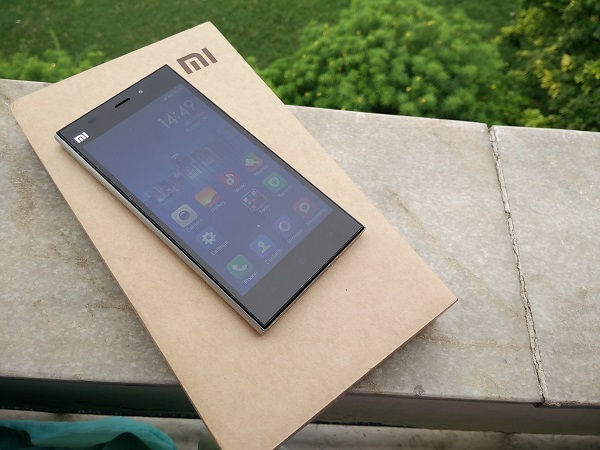
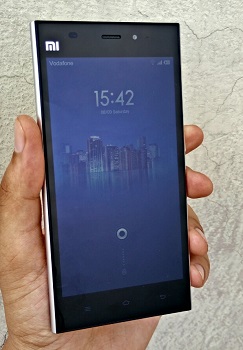
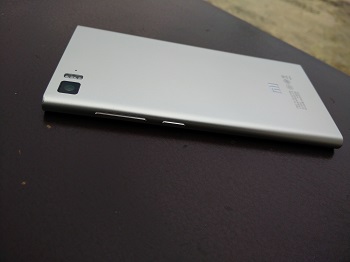
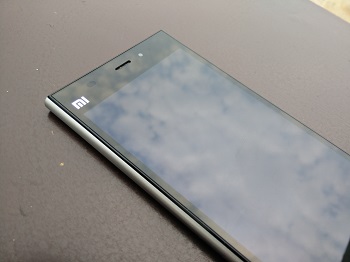
Xiaomi’s Mi 3 (MI 3W) is a full-fledged mid-range Android 4.4.2 smartphone that tries to compete with its near-cost market price. The device follows a similar form factor that we are used to seeing these days. It sports a nearly all-black front and silver back and sides. Alongside the MI logo and sensors, are the speaker grill and the 2 MP front-facing camera on the other side.

The looks

Other than the 5-inch full HD screen, the front has three touch keys – Menu, Home, and Back (from left to right). The keys are well spaced, but are a bit too dim relative to what we have been used to. The right side panel houses the volume rocker and Power/Lock key (near the middle); while the left side is completely plain.

The microUSB port and speakers sit at the bottom, and the 3.55mm headset jack and SIM card (normal mini SIM) slot are located right at the top. The first thing you notice on holding the device is that it has no aluminium build but hard plastic, which doesn’t feel cheap or doesn’t creak anywhere. There seems to be a decent effort taken to make the device grip well in your palm, thanks to the slight curve at the back and edges. It may not be a premium-built device, but it is definitely not something to complain about, either.

At the back, other than the logo and product ID, you have the 13 MP camera with twin LED flash and the secondary mic (sitting near the top left). One more thing you may realise is that the phone feels a bit heavier towards the bottom half, which may well be due to the battery unit placement (non-user accessible), but this isn’t something you see in many other phones these days.

The screen

Coming to the phone’s 1080p LCD touchscreen, this is a good, bright display. Videos, text, web surfing are nice and readable on the screen. On one hand, it is hard to see it toppling the high-end screens on the Ones and S5s, but on the other hand, this is pretty much the best screen on a phone at this price. So, we could say that the screen delivers and doesn’t disappoint keeping the price in mind.

Battery

The phone houses a 3,050 mAh battery unit. I mostly got 22 hours from the phone with a good amount of usage, which included a few videos streamed (around half an hour), a lot of Twitter and emails, a few calls and about half an hour of music. Connectivity-wise, Bluetooth 4.0, GOS work well with no real qualms in pairing or locking the position.

Loudspeakers and audio

The phone’s loudspeakers are placed right at the bottom. The speakers are single unit and are not at all loud. In fact, they are probably the worst unit I have seen on a smartphone for a long time. Forget multimedia, you won’t be able to hear your phone ringing if it is a few feet away from you; due to this, I missed quite a few calls within a day of using the phone. I was sent a Chinese unit, so I am not too sure if this issue is particular to the Indian mode, too. In-ear audio and call quality reveal a different picture, though. Call quality is good, audio is loud and clear, plus, in-ear audio quality is also pretty decent and would be even better with your third-party headphones.

Camera

The Mi 3 boasts a 13 MP (EXMOR RS) camera on the back, along with twin LED flash. Here are a few sample images: http://imgur.com/a/7qBdU

The snapper on the Mi 3 doesn’t disappoint. It is fast to focus and use in general. As you can see, the photos look detailed, quite sharp and colours come out pretty well, too. But, when used in dark conditions, the camera shows its weak spot. Photos come out noisy and dark enough to not be considered good by any means. The default camera app is smooth to operate with a lot of options to choose from. It is safe to say you won’t be disappointed by the native app. Just to add, the front-facing camera isn’t much to write about. It looks like a cheap 2 MP sensor, which does about its job just for the sake of it.

Software

Now let’s talk a bit about the software on the phone. The Mi 3 runs on MIUI 5 (buil number 23.0), which is based on Android 4.4.2 KitKat. A lot of you who are into flashing custom ROMs and putting mods on your phones would be familiar with the name MIUI. The software has grown and improved a lot since its first version came out four years back. Xiaomi has done a lot of work on the OS, and the community, with an increasing number of moders and users, has been shaping up well.

The OS doesn’t have separate app launchers and all your apps are placed on Home screens (something we have used on a couple of other OEM skins as well). The overall feel and look of the MIUI 5 OS is different from stock Android. Indian units come with Google services and apps loaded, but this isn’t the case for Chinese users. App icons, UI, etc., all are well-thought out and appear they are not rushed into.

Long-pressing the Menu key brings up recent app view (horizontally put in the bottom half of the screen), long-pressing the Home key takes you to Google Now. You can change these settings, even add for the Back key, as per your wish, from Settings. There are a number of nifty tools like Permission Manager, which allows you to set which app can access what, cleaner to keep a check on traso and temporary items. , and so on. The notification center can be pulled down from any part of the screen and not just its top. Overall, MiUI seems a reasonably good and usable custom skin to use and the recent history is to be believed, you can expect a lot of updates and improvements from Xiaomi for the same. Oh, and for those interested, Xiaomi allows you to flash official MIUI ROM zips on the phone on your own without having to void your warranty.

Under the hood, there is a Snapdragon 800 SoC (2.3 GHz quad-core processor, Adreno 330 GPU), along with 2 GB of RAM. The phone is smooth and fluid to work on. I didn’t see any lags for the most part, and there wasn’t any stuttering or any noticeable drop in frames while playing games or high quality games on the Mi 3. Overall, the phone breezes through general usage and handles a few apps running in the background just well.

Concluding our review, the Xiaomi Mi 3 is a very attractively priced Snapdragon 800 smartphone that delivers for most part and doesn’t disappoint when keeping its price in mind. Good screen, decent battery life and camera, above average design, there isn’t much to pin point where the phone lags behind. It will be safe to say that with Xiaomi and maybe a few more players in the market, the price wars have become more interesting, but, without having to compromise on performance, experience and design. The Mi 3 seems like the best phone (if you’re okay with no storage option beyond on-board 16 GB) for a price around Rs 14,000 with no major shortcomings, which can only mean better choices for the user in the near future.

Categories
Tech

Oppo launches N1 Mini

Launched recently in India at Rs 26,990, this phone is a smaller version of the company’s previous flagship, the N1.
by Manik Kakra | @Manik_K on Twitter

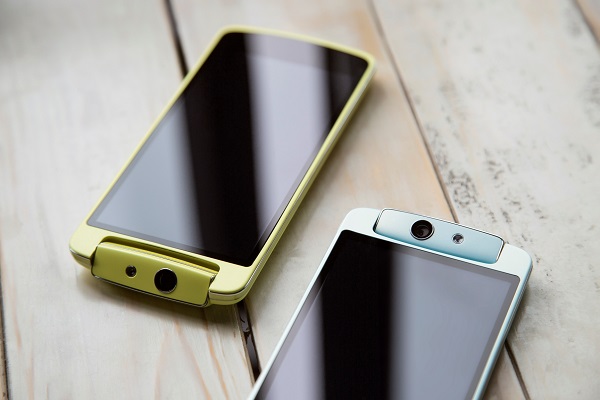
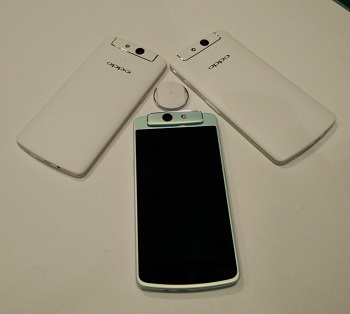
Oppo recently launched its new Android 4.3 smartphone in India – N1 mini. As the name suggests, this is a smaller avatar of the company’s previous flagship, the N1.

The phone boasts a 5-inch 1280 x 720 LCD touchscreen, and supports various gestures that we have seen on other Oppo phones. Under the hood, there is Snapdragon 400 (1.6 GHz quad-core processor) SoC and 2 GB of RAM. Running Oppo’s ColorOS 1.4, the phone has a 13 MP f/2.0 (Sony Stacked CMOS sensor) rotating camera (with an LED flash) similar to the one we saw on the N1. The phone comes with 16 GB of on-board storage but there is no expansion slot. The N1 mini packs a 2,140 mAh battery unit, and supports the O-Click accessory.

Connectivity-wise, there is Bluetooth 4.0, WiFi b/g/n, NFC, DLNA, microUSB (with USB OTG) and GPS. The phone comes in white, light blue, and mint colours, and has been priced at Rs 26,990. Looking at the price tag, it does seem a steep price to pay for what is being offered, especially after considering what the likes of Xiaomi, and Motorola before that, have been up to for the Indian market.

Categories
Tech

Review: Oppo Find 7

Oppo’s newest phone, Find 7, has some great features and may entice users of other smartphone brands to switch over.
by Manik Kakra | @Manik_K on Twitter

Oppo has been quite a name in the smartphone category when it comes to emerging players. The Find 7 does manage to turn heads and is probably the right marketing tool to get Oppo some brand recognition? But does the device justify its price? And what does it do different than its competitors?

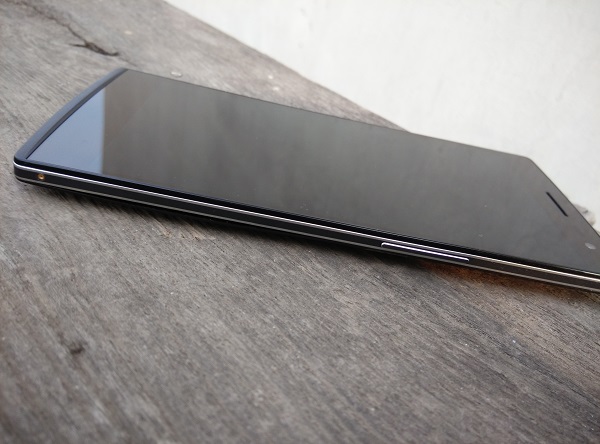
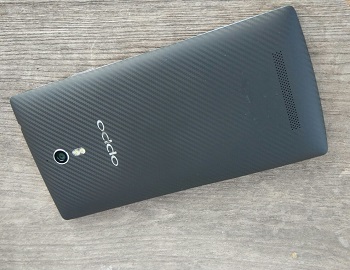
Oppo launched the Find 7 (X9076) and 7a together, and the two are almost twins if you don’t consider a couple of hardware differences. The Find 7, with its 5.5-inch 1440 x 2560 IPS LCD, is a big and quite heavy (173 grams) phone, but not an uncomfortable device to hold. Thanks to the textured plastic material, and the slightly curved back, most people would find gripping the phone not much of a hassle in their daily use.

One thing I’d like highlight is Oppo’s retail packaging – it is really well done. The hard plastic box, with very neatly-assigned spaces for the phone and accessories, such that you can conveniently put back things into their place in the box, is something that you won’t find in a lot of phone retail boxes.

The looks

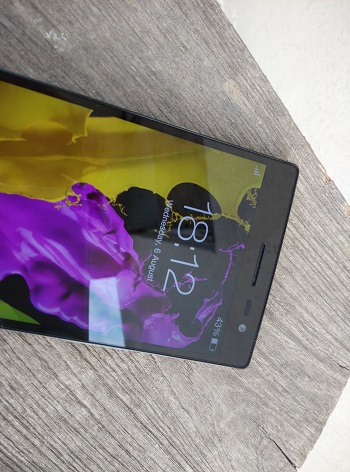
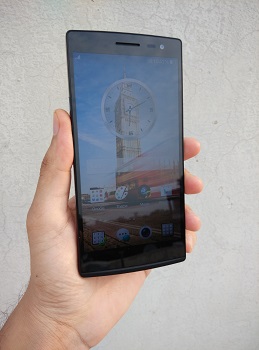
Dominated by the 5.5-inch Quad HD screen with Gorilla Glass 3 on top, the front also sports three capacitive touch buttons for Menu, Home, and Back. The buttons feel a little small in size than what they could have been considering the phone’s dimensions, plus, they are noticeably dim. The vibration feedback from the buttons, on the other hand, is just as as it should be. T

The top hosts the 3.5mm headset jack; while the microUSB port and primary mic sit at the bottom. Above the screen is the 5 MP front-facing camera alongside sensors and speaker grill. It’s below the screen that things get different – there’s a skyline notification LED, a unique feature in the Find 7. The skyline notification LED, just as the name suggests, glows up in a curved shape whenever a notification arrives, and it looks refreshing and unique when put next to a lot of other smartphones.

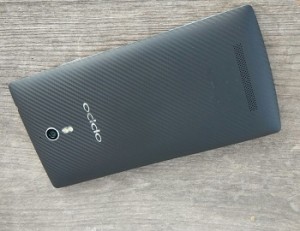
The Power/Lock key is placed on the left; and the Volume keys are placed at a similar height on the right (slightly above the middle) and a tiny SIM card-extracting pinhole. The keys, paired with dual chrome lines along the edges, need to be pressed a bit firmly and raised just enough to give a nice feedback when pressed. On the back, you get the 13 MP camera, speaker grill towards the botton and the Oppo logo below the camera and LED flash. Though angular and a bit wide, the phone gives a premium feel and seems solid to hold. It would be fair to say Oppo has done a good job on the finish and design front.

Display
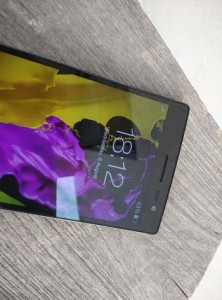
The phone’s 5.5-inch 1440 x 2560 IPS LCD is obviously one of its USPs. The display is the first Quad HD phone screen to be launched in India (LG’s G3 is the second one), and marks the smartphone penetration into screen resolutions beyond full 1080p. The first time you use the phone, it’s a bit hard to tell it apart from a 1080p screen, but when you start reading fine text or view very high resolution images or even videos, that’s where, I think, the difference pops up.

The screen on the Find 7, with whatever toll it takes on a few other aspects of the device, is crisp to look at, read text, and view images. It has good viewing angles and even the contrast doesn’t disappoint while you flip through images or webpages on the phone. Though not a very bright panel, which fails to impress when used under direct sunlight, the 5.5-inch IPS LCD, the first one with these many pixels, does quite do justice to the hype it created.

Audio

The phone has a loudspeaker at the back. The speakers are very loud and clear. They hardly distort and are good enough for gaming and video. Though not as good as the One’s BoomSound speakers quality-wise, they are just as loud as and certainly better than most other phones. In-ear sound, too, is impressive and the bundled headsets are actually not bad (but still get your own pair of headsets). The music player and phone settings give you a lot of audio setting options and do a good job to make your audio experience worthwhile.

Camera

Let’s move to another major part of the phone – its 13 MP f/2.0 rear camera (Sony EXMOR CMOS Sensor). Oppo has deployed something called ‘Super Zoom’, which basically allows you to snap 50 MP images from the 13 MP sensor. Don’t get your hopes up. The phone takes about a dozen photos to stitch a single 50 MP image. The trick isn’t very neat, and is far from being as efficient as what Nokia does with their high megapixel sensors. Having said that, the camera, with its 13 MP and other usual ray of settings, is capable of taking really good shots. Here are a few sample images.
As you can see, the phone can take a lot of really bright and sharp images. You won’t be disappointed with the camera’s responsiveness, contrast handling or processing. Coming to the native camera app, you will find a plethora of setting options to choose from, but without manking the UI cluttered or very hard to work on. For instance, you can make GIFs, audio photos, HDR and even take RAW (.DNG) samples with it. For those who care about the front-facing 5 MP camera, there’s good news. You can take proper shots with editing options right in the camera app and you won’t be disappointed with the result.

Call quality

As far as call quality goes, the phone doesn’t disappoint when it comes to voice. There were no network reception issues throughout my usage and the phone held well whether for WiFi, Bluetooth or locking in with its GPS.

Battery

The phone houses a 3,000 mAh battery unit, which is user-accessible. The battery life on the phone, on an average, came out to be about 23 hours  with brightness at about 30%, but notch it up a bit to 45% and the battery life comes well below 20 hours, which just shows the toll that the screen takes on the phone’s battery.

Oppo has equipped the Find 7 with their VOOC battery technology, which allows you to charge the phone from 0 to about 75% in half an hour. The bulky charger and the relevant tech in place do their job excellently, meaning you don’t have to worry about waiting to get the phone charged to a decent level before you unplug it.

Software

The Find 7 runs on Android 4.3 with Oppo’s own ColorOS 1.2.4i on top. The whole look and feel of the OS is identical to that of N1. The launcher, customisation, etc. work almost like what you see on most other Android flagships and there isn’t much difference to talk about from what we already did for the N1, but it is high time the phone gets updated to Android 4.4.

Other features
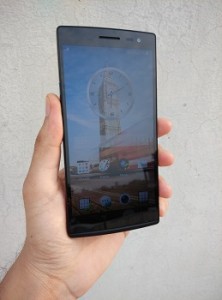
About the navigation keys, long-pressing the options key brings up the recent apps list, while doing the same on the Home key brings up Google Now, by default. You can double tap to wake the screen, though it doesn’t work to lock. The whole look is not something to complain about. Icons, themes, default wallpapers are all taken care of.

Three default Home screens with a different pane for music and camera is a good thought for some. For those interested, Oppo allows you to flash ColorOS ROMs through the factory-installed recovery without having to void your device’s warranty.

Something worth mentioning is that most of the OS components and probably all the Android apps are not yet made for the resolution we have on the Find 7. Powered by the Snapdragon 801 chipset MSM8974 (2.5 GHz Krait 400 quad-core CPU, and Adreno 330 GPU), along with 3 GB of RAM, the overall performance on the Find 7 is about satisfactory. Keep in mind the high resolution screen in place and what all tasks it would take to keep the screen running.

You may notice a bit of a stutter while scrolling through settings or even when switching between apps or changing clips while watching from Gallery. But on the other tasks, for music, Web, Camera, the phone feels quite smooth. While it is far from being judged the smoothest Android phone out there, it is surely not a slouch and good enough to get your work done.

Oppo has done a really impressive job with the Find 7. Great screen and design, fantastic camera and audio quality, and decent battery life and intelligent battery technology; this new flagship handset is right there to take on the more popular flagships and can lure more people into buying their first Oppo device.


Categories
Event

Mumbai gets country’s largest photo gallery

The Kanakia Zillion Gallery, home to over 10,000 photographs on Mumbai, opened at BKC Annexe last week. A must-visit space.
by The Editors | editor@themetrognome.in

India’s most exciting city now has a new feather in its cap – Mumbai is now home to the country’s largest photo gallery of Mumbai photographs.

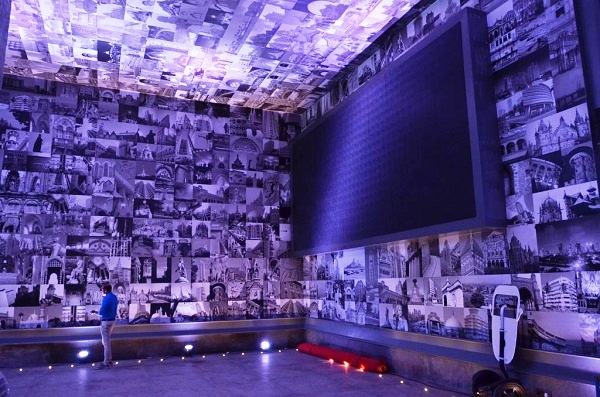
The Kanakia Zillion Gallery opened at the BKC Annexe last week, and houses a staggering 10,000 photographs on Mumbai. The images, contributed by both professional and amateur photographers, were selected from over 36,000 entries. More than 50,000 Mumbaikars were engaged through social media and other platforms to connect with this initiative.

Capturing the spiritual ‘Eight Fold Path’, the initiative salutes the spirit of Mumbai and entries were invited from the photographers to depict eight categories, namely, Architecture, Business, Celebrations, Diversity, Entertainment, Food, Games and Humanity of Mumbai.

At the launch of the space last week, the Kanakia Art Foundation also organised a unique fashion show as a tribute to the city’s dabbawallahs, the Traffic Police of Mumbai, the fisherwomen and the gas supply boys of the city. Sunil Prabhu, Mayor of Mumbai, was present as one of the dignitaries at the event.

HimanshuKanakia, Managing Director of Kanakia Group, said, “This is a rare collection of beautiful efforts of amateur and professional photographers from various walks of the life. We are just overwhelmed to receive about 36,000 photographs and the task of judges was not only mammoth but also difficult while choosing the winners. We congratulate all participants and invite all Mumbaikars to have a glimpse of this unique gallery.”

Exit mobile version