Categories
Tech

Review: BlackBerry Z10

Our tech reviewer tests the new and interesting BlackBerry Z10, and explains some of the fuss behind Blackberry’s newest offering.
by Manik Kakra

BlackBerry has been in a lot of trouble for the last two years or so. Their loyal customers have shifted to iOS and Android, and their financial statement doesn’t look impressive, either.
In an effort to overhaul its whole mobile business, BlackBerry has come up with its new operating system, built again from the ground up, BlackBerry Z10. BlackBerry Z10 is the veritable messiah to take this OS into the market. We take a look at this device and the new OS, and how it differs from the existing players in the market.

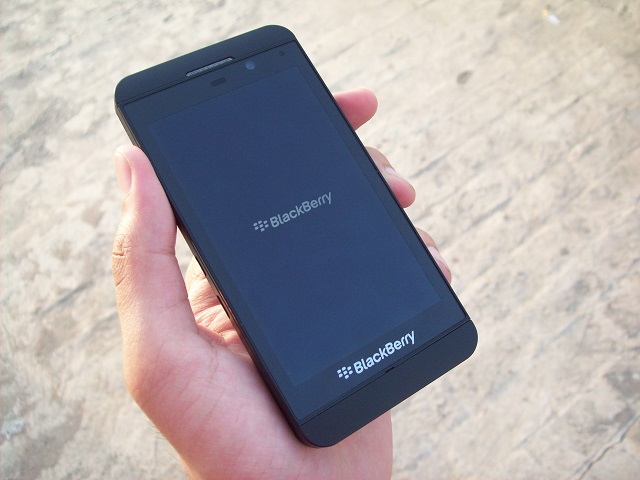
What it looks like: The BlackBerry Z10 sports a 4.2-inch (1280×768) screen, and has a rubberised back. The phone feels like a premium piece as soon as you hold it, and fits in your hand very nicely. There are no cheap materials or colours on its body.
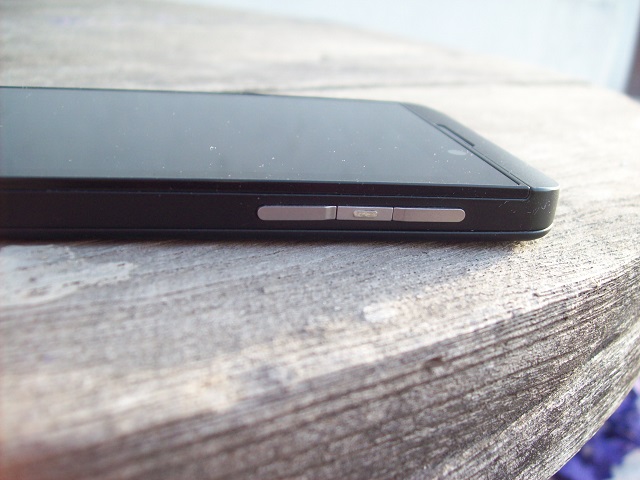
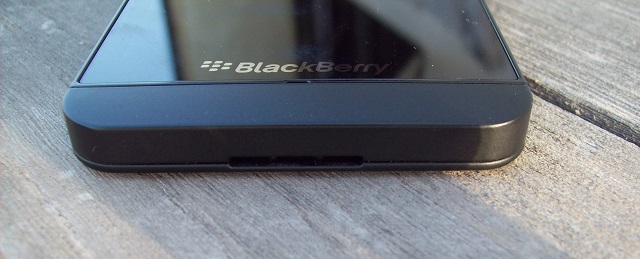
On the right, there are volume rockers and a voice control button in between (see pic on left); the left side has an HDMI port and microUSB port. The front is dominated by that screen. On top of the screen, there’s a 2 MP front-facing camera, LED light and speaker + sensor. On the bottom of the screen, you get a bold BlackBerry branding and primary mic. On the back, there is an 8 MP camera with an LED flash, and BB logo in the middle. On the phone’s top, there is a 3.5 mm headset jack, Power/ Lock key, and secondary mic. The bottom side has just a loudspeaker.

There are no physical buttons on the front, making it a full-touch device like the Nokia N9.

Screen test: The phone’s screen is quite bright and colours look very vibrant on it. There is not much chance you would see any pixels, and usually videos look impressive on it. The buttons on the side are also of high quality – you get a good feedback on pressing them. BlackBerry has done well in the construction of the phone as there are no rough edges. The call quality and network reception on the device we tested were top notch.

Camera quality: The 8 MP camera isn’t something extraordinary. It performs well in daylight conditions but the images aren’t the best from among the high-end smartphones out there. Although the lowlight images were really bad, most of the images in natural light should satisfy an average smartphone user. The focus works quite well, too. You can either tap on the screen to take a picture, or press the volume up button.

The camera UI is quite interesting. BlackBerry has overhauled it and made it quite convenient for the user to change settings within camera like TimeShift (burst mode), and frames.
Hear this: The audio quality on the phone through loudspeakers was disappointing. You get distorted sound even when playing on 70 per cent volume, and the loudspeakers, at the bottom, may get muffled while using the phone. Having said that, the in-ear sound was noticeably better. It was loud, clear, and the basic earphones, though no match for dedicated audio earphones, seem good.

Battery life: Battery life on the phone was average. I was able to get 16 hours on a single charge with regular usage.

Software brouhaha: Let’s now talk about the software – BlackBerry Z10. The software is nothing what we have seen from the company earlier. The BB10 OS is based on full-touch interface. The outlay is quite interesting. As soon as you switch on the phone, you get to see the Menu (or App tray). By swiping left from the first menu screen, you go to Hub, and swiping right takes you to other Menu screens.

Hub, as the name suggests, is one-stop umbrella for all your messages – Email, Twitter mentions, BBM, and SMS. You get all of them neatly placed in the Hub. Whenever there’s a new message, the LED notification light starts blinking, just like in the older BB devices. When you go into an app from the Menu, you have to swipe up from the bottom of the screen (ahem, webOS) to come out of the screen, and you will get to see multitasking view, showing you all the opened apps. All these preview panes have a small close ‘X’ button in order to close as well as remove the app from the multitasking page.
At the end of it all: The phone performs really well, and the UI is very fluid and quite intuitive to use. With its 1.5 GHz dual-core S4 Pro processor, and 2 GB of RAM, the phone almost never lagged and performed smoothly. The app switching works brilliantly and there were no app crashes.

Talking of apps, the BB AppWorld is seriously a downside to the OS. Though there are nearly 1 lakh apps available, there are too less good quality, important apps. BlackBerry has tried to give several native apps – Twitter, Facebook, FourSquare, Dropbox – but most seem half-baked. Take Twitter for instance; there’s no way to change font size, you cannot remain on your timeline position, and so on.

Email, which has been a strong point for BlackBerry, remains a solid point. The Email experience is one of the best you could get. That, along with the keyboard, are the best things about this OS. The keyboard is quite different from what we have seen on touchscreens, but once you start using it, you realise how nicely it works and how the prediction gets better. The Web browser is also very nice, and loads pages without showing too many weak links.
The OS doesn’t bring something new to the table for users which iOS or Android don’t already have. Yes, the gesture-based UI is good, but it could mean a new user has to learn how to use his new BlackBerry phone.

It is clear that BlackBerry has made a serious effort in the past one year. The BB Z10 is a really nice phone, but it may well be a little too less for users who are already used to iOS, Android, or Windows Phones. Having said that, if BlackBerry keeps providing updates and brings the Q10 to the market quickly, it could mean better time for BlackBerry in the Indian market.

Categories
Tech

10 must-have apps for the iPhone 5

Your iPhone 5 can be even more awesome if you get these 10 work and social apps, plus some fun games ones.
by Manik Kakra

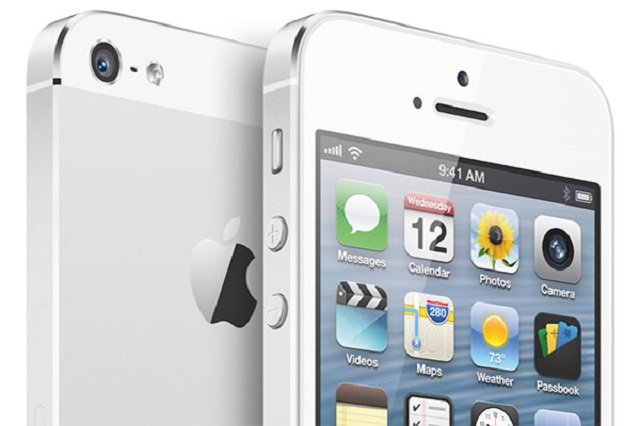
So you got your shiny, new iPhone? It’s awesome, isn’t it? Well, you know what could make it even better – apps and games. Over the years, iOS has become a dominant player when it comes to mobile. Developers across the world want to develop their apps for iOS – because the platform is popular, used widely, and app quality is top notch. So, here is a list of 10 apps and a few games apps to get you started with your new Apple gadget:

1. Chrome

Most of us use Chrome on our PCs. By using Chrome on your iPhone, you can sync bookmarks between the devices without any hassle. Just sign in and you are good to go. While it doesn’t enjoy as much freedom as Safari does on iOS, the browser works smoothly and feels like home for PC Chrome users. 

An alternative? Opera Mini

2. Tweetbot

Are you on active on Twitter? If yes, then there’s no way you can’t have Tweetbot installed on your iPhone. This Twitter client is one of the best out there. No compromises – neat UI, feature-rich, and support from developers.

The alternative? Twitterrific

3. Camera+

The iPhone 5 (and 4S) has a great camera, and it can be put to even better use by using something like Camera+. This app allows you to snap photos as well as edit them – with borders, filters, exposure, and more.

The alternative? Paper Camera

4. Dropbox

Dropbox is a must-have app, regardless of what device you are carrying. It is a cross-platform cloud storage service, which allows you to sync your precious data across your devices. You can buy more storage as and when required, according to their plans.

The alternative? Box

5. Evernote

Evernote has, over the years, become a solid app for not only taking notes, but also to compile to-do lists. It synchronises them across devices, as it has a web version, too.

The alternative? Springpad

6. 1Password

As you use your phone or any other connected device, you keep signing up for a number of services, and, as a result, have to remember their respective passwords. 1Password is your one-stop app to stop worrying about having to remember so many passwords. The user doesn’t have to look up in the app as he/she will be signed in automatically.

The alternative? LastPass

7. Airport Utility

This free manager allows you to fully control your Airport stations. It lists all the devices connected, and gives you options to change settings you want.

8. Flipboard

This app is sort of a news-aggregator. You can choose which news sites you want it to combine, and then the app presents them in a beautiful manner, thus allowing you to have your very own virtual magazine.

The alternative? Zite

9. WhatsApp

Chances are that you might be using this app already on your phone. Right? No doubt it’s the most popular cross-platform messaging service today, well worth the money for chatting with your friends.

The alternative? Viber

10. 8Tracks

This is an Internet radio service that gives access to thousands of radio stations made specifically for people having a particular genre preference, created by like-minded people.

The alternative? Pandora

For games, check these out:

Subway Surfers

Angry Birds HD

Real Racing 2

Ruzzle

Did Manik miss any apps which are essential to start with your iPhone? Do let him know your favourite or worst app experiences in the comments section below this article.

(Picture courtesy engadget.com)

Categories
Tech

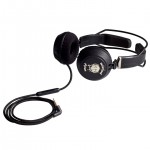
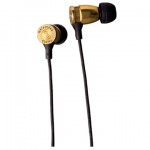
This just in: Motorheadphones

A new range of headphones, designed in collaboration with rock band Motörhead, are targetted at rock and pop-loving music listeners.

They were launched in Europe very recently, and have now launched in India. The Motorheadphones, designed in collaboration with the rock band Motörhead by Krusell International, are meant to ‘deliver everything louder than everything else but with the sort of range, clarity and true rock reproduction one would expect from a rock performance on stage.’

The headphones, called Motorheadphones, have been rated amongst the top 5 out of the 10 best headphones in the market at present. The makers insist that these headphones will focus on the rock/pop audience, target groups that are critical listeners, and hence, the design and build go with the attitude that rock stands for.

What’s more, most models are said to be smartphone-ready while two of them will be equipped with the new developed microphone ‘Controlizer’, which the makers claim is one of the ‘most advanced remote controls on the market.’ The products will be available with leading CE and music retailers.

The headphones are available in the range Bomber, Ironfist, Motorizer, Overkill and Trigger range. Go to www.motorheadphones.com for details.


Categories
Tech

Facebook announces ‘Home’ for Android smartphones

Announces the advent of the launcher, which will allow users to check their Facebook right from their phone’s home screen.
by Manik Kakra

Yesterday, Facebook held an event at its HQ, during which Mark Zuckerberg announced new paths for Facebook’s mobile users.

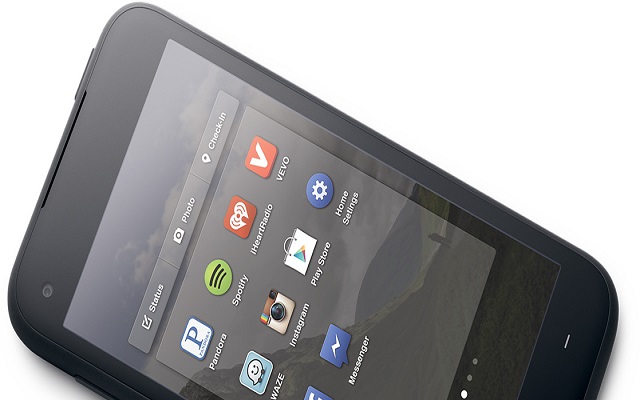
First of all, Facebook has launched ‘Home’. What is it? Basically, it is a launcher for your Android smartphone. But there are plenty of launchers available from the Play Store, so what’s so different about this one, you ask? Well, we haven’t yet got our hands on the launcher, as it’s going to arrive on April 12, but what is clear from the event is that, the launcher will allow users to check Facebook right from their phone’s home screen.

This means you don’t have to go into any particular app to browse through your Facebook feed. You will also get notifications, messages, photo updates, etc. right on your home screen.


Chat Head is another feature of Facebook’s new launcher for Android; with chat heads you will get to see instant message on top of whatever app you’ve currently opened on your phone. Home is where you will have all the apps from the launcher, and it will be a unified hub for Facebook on your Android smartphone. So, this Cover Feed tries to make a deeper Facebook integration in your smartphone.

Next, Facebook and HTC announced HTC First It’s a new Android smartphone, which comes pre-loaded with Facebook Home. There are no official statements about the hardware specifications or Android version that power the phone.

The HTC first sports a 4.3-inch 720p screen, and is powered by Qualcomm’s 1.4 GHz dual-core Snapdragone 400 processor, along with 1 GB of RAM. The phone comes in black, white, light blue, and RWhat’s know and will go on sale on April 12.  It costs $99.99 (approx Rs 5,485.50, on the US’s AT&T network). Zuckerberg also announced that Facebook has signed with, apart from HTC and AT&T, Sony, and Samsung. This new launcher will be supported for HTC One X, One X+, One Samsung Galaxy SIII, Note II at the launch.

There is no news about the global launch of any device that comes preloaded with Home.

We can’t say how good or bad the launcher or its implementation is, but one bad thing is that it will soon have ads. Yes. Ads right on your home screen. Let’s see how the launcher cops up in day-to-day use.

Categories
Tech

Book your next holiday at a kiosk

MTDC to install touch screen kiosks to help users book holidays at MTDC resorts; first one installed at Marine Drive.

It is summer time and everyone’s heading for a holiday. To make the process of booking accomodation for your holiday easier, the Maharashtra Tourism Development Corporation (MTDC) has hit upon the idea of installing touch screen kiosks at various spots in Mumbai and the State.

To this end, the first such kiosk was installed a couple of days ago at Mumbai’s Marine Drive. The kiosk and others like it will enable users to get information about tourist destinations in Maharashtra, in both Marathi and English. Plus, once you browse the information and make a destination choice, you can book your stay at an MTDC resort in that destination, as well as book train tickets to get there.

As per a release from MTDC, the plan is to “set up 300 such kiosks at various tourist destinations in Maharashtra, at Government offices, railway stations and airports. Within Mumbai, the kiosks will be put at CST, Dadar, domestic and international airports, Sanjay Gandhi National Park etc.”

(Picture courtesy MTDC. Image shows Jayant Kumar Banthia. Chief Secretary, Government of Maharashtra and Dr Jagdish Patil, Managing Director, MTDC, inaugurating the kiosk at Marine Drive)

Categories
Tech

Google starts rental movie service for India

You can buy and rent movies, TV shows from Google’s Play Store. But the Hindi film collection isn’t too exciting.
by Manik Kakra

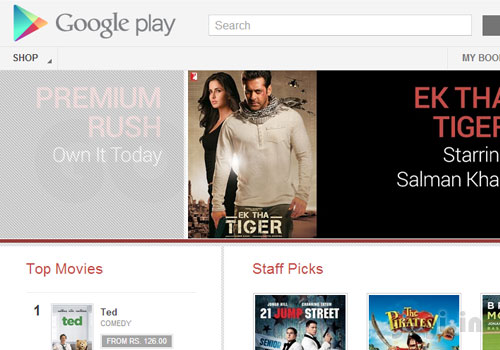
Here’s some good news for you Android users out there. Google has started its movie rental service on the Play Store. Users in India can now buy and rent movies and TV shows from Google’s Play Store.

To start off, you have to download the Google Play Movies and TV app on your Android device. Then, search for the required movie, and hit buy or rent.

Use it: If you rent a movie, you can watch it within a month, and for the next 48 hours once you start watching it. If you download a movie or a TV show, you can enjoy it on five devices, but rented movies can only be watched on a single device.

Pay for it: If you are not aware of the payment system, this is how it works: a user has to add his credit or debit card information on Google Wallet, in order to buy apps, games, e-books, movies, and more from the Google Play Store.

What we didn’t like: The movie collection right now isn’t too extensive. Hindi movie lovers won’t have a very good time browsing through the new catalogue. Movies start Rs 50 onwards, and go up to Rs 590, available in SD and HD options. Some of the Hindi titles available as of now are Ta Ra Rum Pum, Ek Tha Tiger, etc., but a lot of good films are missing. Meanwhile, the English collection looks much better, with The Hobbit, 21 Jump Street, Seven Pounds, and so on included.

A few days ago, Google started selling the Nexus 7 (16 GB WiFi) on its Play Store for Indian users, priced at Rs 15,999. A few weeks back, Google introduced e-books for Indian users. Back in December, Apple opened its iTunes store for India. Looking at these developments, it is sure that Google and Apple are becoming serious about the Indian market, especially on the content side. Though we have services like hungama.com and saavn.com for music and movies, brands like Google and Apple can really work the magic to bring better content to India, quality and quantity-wise.

I hope Google and Apple start bringing their devices quicker to Indian shores. We have a lot of users here, waiting for the devices and content, while their US and Europe friends enjoy it way before. Here’s hoping this start doesn’t disappoint, and companies have many more goodies in store for its users.

(Picture courtesy gogi.in)

Exit mobile version